SaaS vs On-Premise | Find the solution that best fits your business. Discover the differences between cloud and on-site hosting
Choosing software is no longer just about features. Today, businesses are also asking where their data is stored, who manages it, and under which laws it’s protected. Against a backdrop of geopolitical uncertainty and growing tensions around digital sovereignty, the SaaS vs on-premise debate is back at the heart of IT decisions. But with generative AI now embedded in business tools, this debate has taken on a new dimension: it’s no longer just about hosting. It’s now about control over intelligence itself. So, which solution is right for your business? Find the best hosting option for you
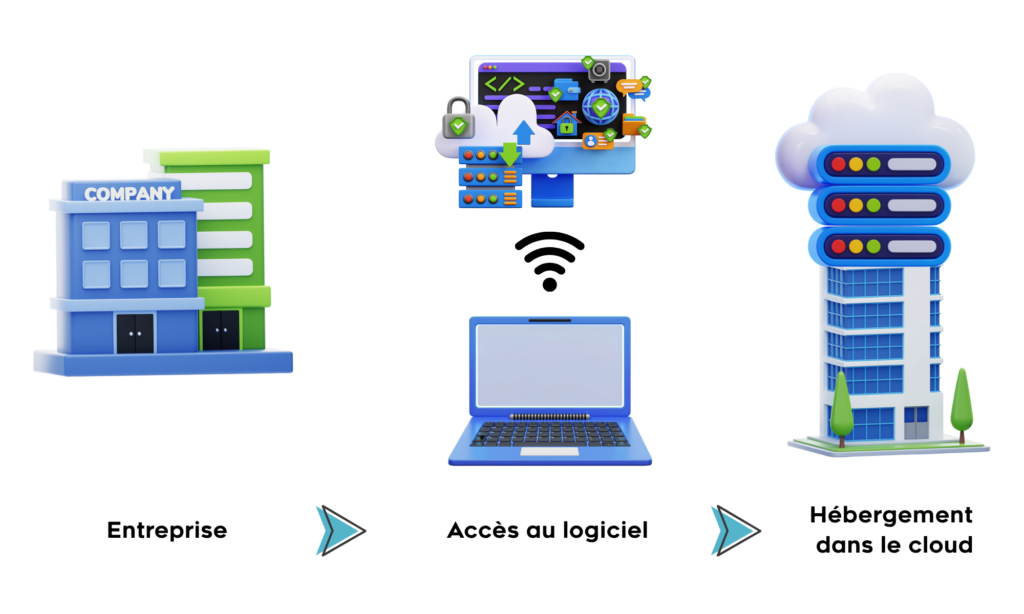
SaaS (Software as a Service) is a model where an external provider hosts the software. The business doesn’t install anything on its own servers. Instead, it accesses the service through a browser from any internet-connected computer. The provider handles hosting, maintenance, and updates. In return, the business pays a monthly or annual subscription.
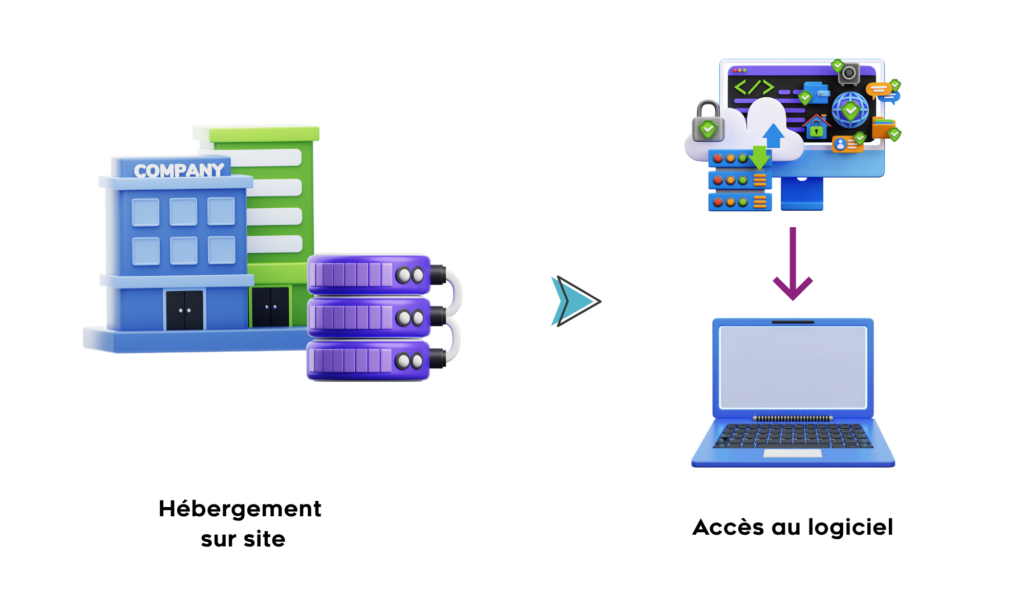
On-premise, literally “on site,” refers to software installed directly on the client company’s servers. The hardware infrastructure belongs to the business, and its IT teams manage the entire system. The company purchases the software under a perpetual license, and data never leaves the internal infrastructure.
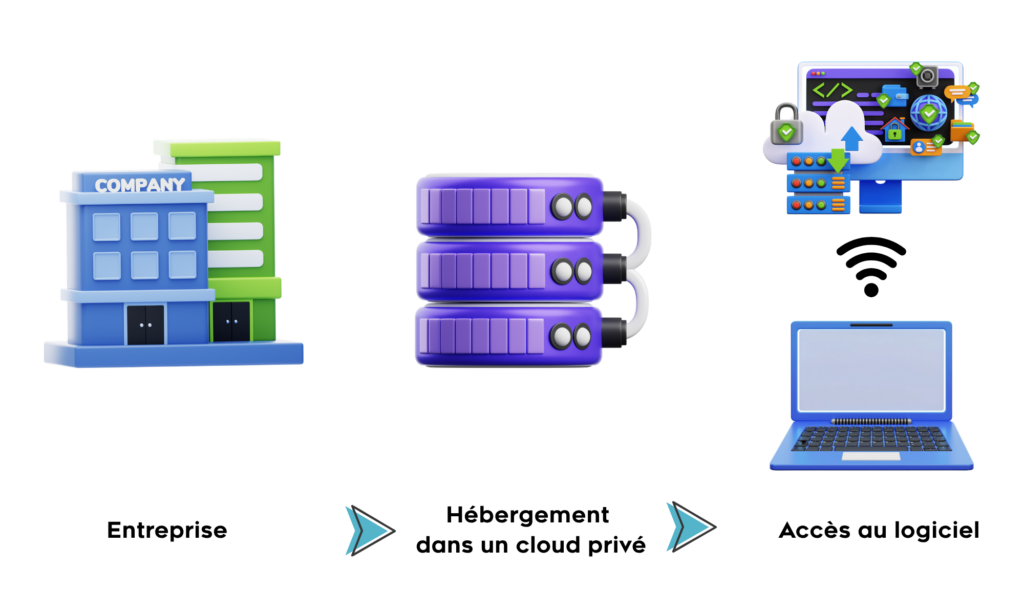
The private cloud is a lesser-known third option: an infrastructure dedicated exclusively to the organization, hosted in a third-party data center, ideally sovereign, French, or European, but entirely isolated and under the company’s control. This approach combines the data control of on-premise with the flexibility of outsourced infrastructure. It’s particularly suited to organizations without server rooms but that cannot, or do not want to, entrust their data to a shared SaaS provider.
SaaS has become the go-to solution thanks to its ease of implementation. Here are its key benefits:
On-premise and private cloud, on the other hand, address specific needs that SaaS doesn’t always cover:
For a SaaS solution:
For an on-premise or private cloud solution:
The choice between SaaS, on-premise, and private cloud depends on several factors unique to each business. Here are the five essential aspects to analyze.
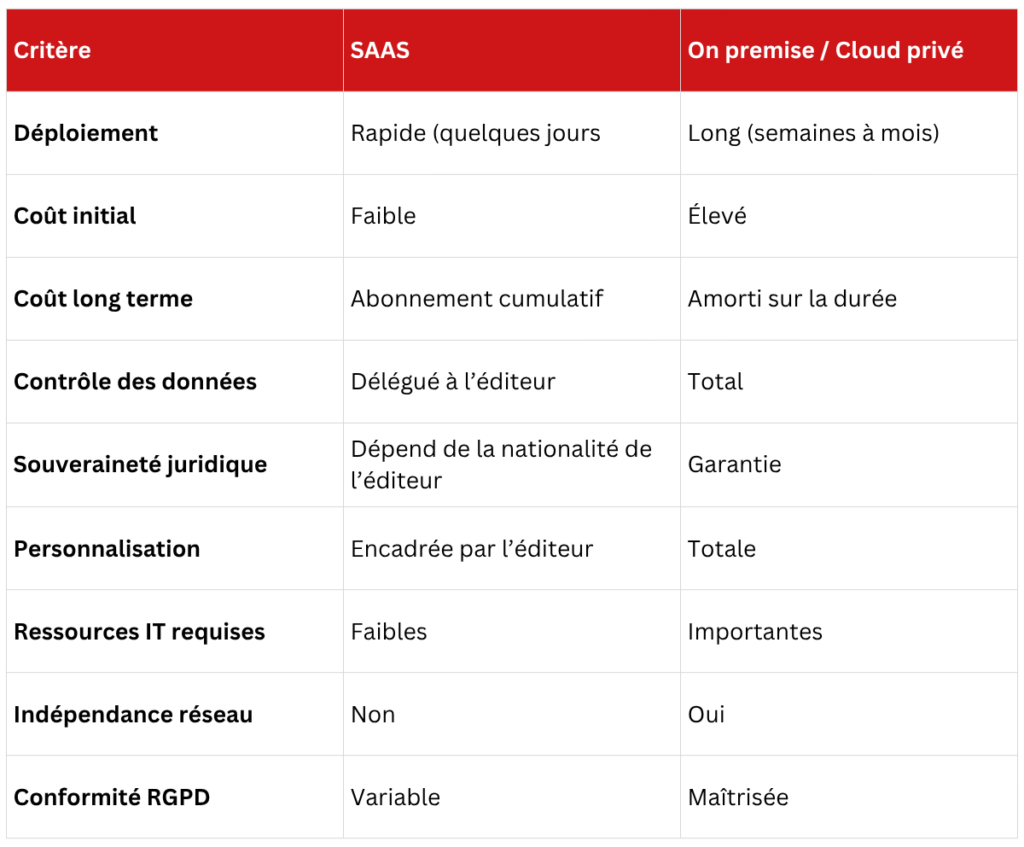
SaaS offers predictable, spread-out costs, but they accumulate over time. On-premise requires a larger upfront investment, amortized over several years if the solution is kept long-term. The real question isn’t “Which is cheaper?” but “What’s the total cost of ownership over five years, including internal IT resources?”
This is often the deciding factor. On-premise and private cloud offer full control: data stays within the organization’s infrastructure, under its sole responsibility. SaaS raises a more complex issue. Most major SaaS providers are American (AWS, Salesforce, Microsoft, etc.). Yet, the U.S. CLOUD Act, passed in 2018, allows U.S. authorities to access data hosted by American companies, no matter where it’s stored worldwide. This includes data hosted in Europe. It directly conflicts with GDPR, and the European Data Act (applicable since September 2025) strengthens this framework without resolving the structural legal conflict. In practice, choosing European hosting isn’t enough to guarantee data sovereignty if the provider is American. It’s the provider’s nationality that determines the applicability of the CLOUD Act.
On-premise offers complete freedom. The company can modify the source code, integrate internal systems, and adapt features to its specific business processes. SaaS provides customization options, but within a scope defined, and often charged, by the provider.
With SaaS, setup is nearly instant. The company creates an account, configures a few parameters, and the software is ready to use. On-premise and private cloud, however, require much more preparation. Before launch, the company must have suitable infrastructure and an IT team in place. Depending on the project’s complexity, deployment can take anywhere from several weeks to several months. If your organization lacks internal technical resources, SaaS is the natural choice. Conversely, an IT department can fully leverage on-premise.
SaaS software requires a stable internet connection. In the event of a network outage or provider issue, access to the service is interrupted. The company depends entirely on the provider’s availability. On-premise works independently of the internet. The software remains operational in all network conditions. This is a decisive advantage for critical environments.
Download our SaaS vs on-premise quiz to objectively assess your situation in under ten minutes and identify the model that best fits your challenges. Download the quiz
For public and parapublic organizations (local authorities, social housing providers, healthcare institutions, supervised bodies), data sovereignty isn’t optional. It’s often a requirement. The data processed is inherently sensitive. Regulatory constraints are stricter than elsewhere. And relying on infrastructures controlled by foreign entities is becoming increasingly hard to justify.
Imagine a tenant contacting their social housing provider as part of a means assessment. They submit sensitive financial documents: tax notices, payslips, benefit statements. The question is legitimate: Where do these documents go? Who can access them? If the answer involves a third-party provider’s infrastructure outside the organization, the housing provider must be able to justify and explain it. On-premise offers a simple, verifiable answer: this data never leaves our system. This aspect is often underestimated. In sectors where user relationships are central to the business, it’s crucial to be able to say, “Your data stays with us.” It’s a trust commitment, concrete, verifiable, and a differentiator from organizations relying on shared infrastructures.
Generative AI is increasingly integrated into business tools, particularly in customer service. It adds two new dimensions to the SaaS vs on-premise debate.
Running an AI model on your own servers requires power. The company must size its infrastructure based on the volume of conversations to process and the expected response speed. This needs to be considered from the outset. An undersized infrastructure means response times that are too slow, which is unacceptable for customer service demands.
This is the most critical point. Open-source models available for on-premise deployment are powerful but still lag behind so-called “frontier” models (GPT-4o, Claude, Gemini). The latter are only accessible via cloud APIs. In a general customer service context, the difference is noticeable. The solution lies in fine-tuning. Specifically, you train an open-source model on the company’s own data. A well-trained model on a specific customer dataset can match frontier models for the covered use cases. This is where on-premise truly shines for AI. The data used to train and improve models stays within the organization’s infrastructure.
Customer service is one of the use cases where data security concerns are most pressing. How can you deploy high-performance AI customer service without giving up control of your data? That’s precisely why fAibrik developed its on-premise offering. Founded in Annecy by two former IBM Watson experts, fAibrik draws on over 10 years of experience in AI applied to customer service. The platform allows organizations to deploy their conversational agents directly within their own infrastructure, on their servers or in a sovereign private cloud. This means no dependency on a third-party provider and full control over data and AI models.
The choice between SaaS and on-premise isn’t just about budget or modernity. It reflects your company’s real needs: your approach to data security, your IT capacity, your flexibility requirements, and your regulatory constraints. SaaS offers fast implementation, controlled upfront costs, and optimal accessibility. On-premise guarantees full control, advanced customization, and data independence. Before deciding, assess your priorities, consult your IT and legal teams, and compare the total cost of ownership over several years. Only then will your SaaS vs on-premise choice truly align with your needs. Discover the solution tailored for you
SaaS is software hosted by an external provider, accessible via the internet. On-premise is installed directly on the company’s servers. The key difference lies in data control, legal sovereignty, and payment model.
Not necessarily. SaaS outsources security to the provider, which often has significant resources. On-premise puts that responsibility on internal teams. Security levels depend on each party’s resources. Data sovereignty is an additional factor to consider.
SaaS involves a regular subscription with no heavy upfront investment. On-premise requires a significant initial investment (infrastructure, licenses, IT) but can be amortized over the long term. The total cost of ownership over five years is the best comparison metric.
A private cloud is an infrastructure dedicated exclusively to the organization, hosted by a third-party provider but entirely isolated. It offers the same data control guarantees as traditional on-premise without requiring an in-house server room. It’s an ideal option for organizations that want data control without managing physical infrastructure themselves.
Yes, but migration is often complex. It involves retrieving data from the SaaS provider, setting up the necessary infrastructure, and training teams. It’s best to anticipate this possibility when initially choosing a solution.
Yes. But if the provider is American, the CLOUD Act may conflict with these obligations. Server location in Europe isn’t enough: the provider’s nationality determines the applicability of the CLOUD Act. SaaS is software hosted by an external provider, accessible via the internet. On-premise is installed directly on the company’s servers. The key difference lies in data control, legal sovereignty, and payment model. Not necessarily. SaaS outsources security to the provider, which often has significant resources. On-premise puts that responsibility on internal teams. Security levels depend on each party’s resources. Data sovereignty is an additional factor to consider. SaaS involves a regular subscription with no heavy upfront investment. On-premise requires a significant initial investment (infrastructure, licenses, IT) but can be amortized over the long term. The total cost of ownership over five years is the best comparison metric. A private cloud is an infrastructure dedicated exclusively to the organization, hosted by a third-party provider but entirely isolated. It offers the same data control guarantees as traditional on-premise without requiring an in-house server room. It’s an ideal option for organizations that want data control without managing physical infrastructure themselves. Yes, but migration is often complex. It involves retrieving data from the SaaS provider, setting up the necessary infrastructure, and training teams. It’s best to anticipate this possibility when initially choosing a solution. Yes. But if the provider is American, the CLOUD Act may conflict with these obligations. Server location in Europe isn’t enough: the provider’s nationality determines the applicability of the CLOUD Act.